
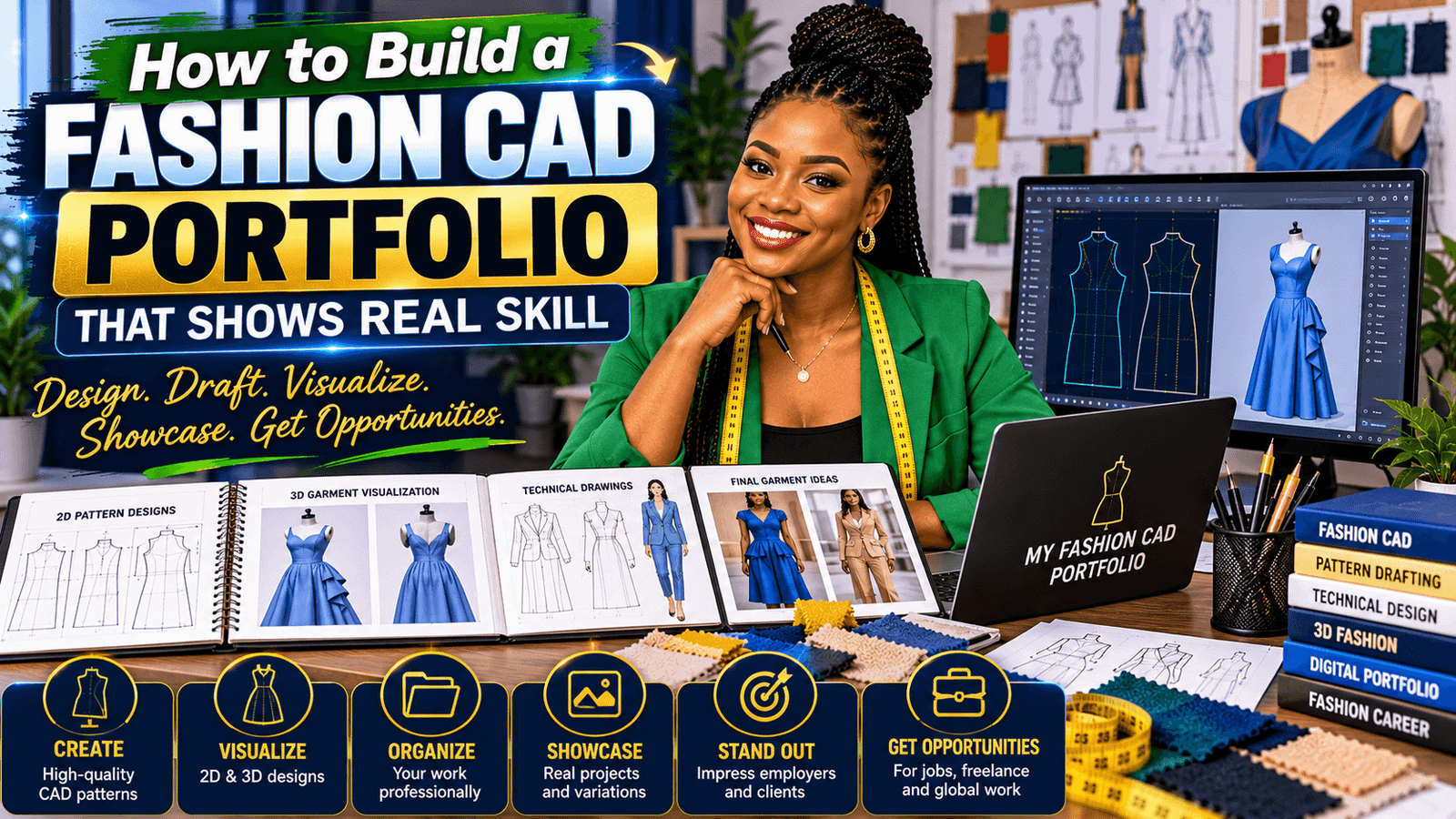
I still remember the first time I tried to make a fashion portfolio with only hand-drawn sketches. My pages looked lovely enough, but when I wanted to show the pattern pieces, measurement changes, and fit corrections, everything started to feel messy and hard to read. Once I began building a fashion CAD portfolio, the whole process felt calmer, clearer, and much more professional—even as a beginner.
A digital fashion portfolio is simply a collection of your work presented on screen instead of only on paper. For fashion designers, home sewers, and beginners learning CAD dress pattern drafting the easy way, this can be a huge relief. You can show your sketch, your flat drawing, your pattern development, and your final garment in one clean place.
The best part is that a fashion design portfolio CAD garment design project does not need to be fancy to be impressive. What matters most is clarity: can someone understand what you made, how you drafted it, and what CAD fashion training skills you used along the way? If yes, you are already building a portfolio that speaks well for you.
Think of your portfolio as a story, not just a gallery. A strong page can show the idea, the measurements, the pattern pieces, a fitting tweak, and the finished look. That is where fashion design software skills start to shine, because CAD lets you present your work neatly and repeatably.
OTHER RELEVANT BLOG POST


You do not need to know every tool inside your software on day one. Even basic functions—drawing lines, adding seam allowance, moving darts, or saving clean pattern layers—can help you create work that looks organized and professional. And that is exactly the kind of confidence-building progress we want.
What to Include in a Fashion CAD Portfolio
When I help beginners plan a fashion CAD portfolio, I always suggest keeping it simple first. You do not need twenty projects. You need a few clear ones that show your thinking, your drafting process, and your finished results.
- A concept sketch – a quick drawing that shows your design idea.
- A flat technical sketch – a simple front and back drawing with no body pose, so the garment details are easy to see.
- Pattern pieces – the CAD pattern shapes that show how the garment is built.
- Measurement notes – the key body or garment measurements you used.
- Fitting changes – one or two adjustments you made after testing the pattern.
- Final garment image or render – the finished piece so people can see the result.
- Short captions – a sentence or two explaining what you did and why.
If you are just starting out, that mix is enough to show real progress without overwhelming yourself.
How to Build a Fashion CAD Portfolio Step by Step
Here is a beginner-friendly way to build your portfolio without getting lost in the details.
- Pick a small set of garments. Start with three to five items, such as a sleeveless top, a skirt, a simple dress, or a pant block.
- Draft or trace your pattern in CAD. Your CAD software may work a little differently from another program, but the idea is the same: you are drawing and organizing pattern pieces on a computer.
- Keep your files neat. Name your pieces clearly, separate your sizes if needed, and save a clean version before making changes.
- Capture the process. Take screenshots or export pages that show the pattern before and after adjustments, especially if you changed a dart, hem, sleeve, or waistline.
- Add the final result. Include a photo of the sewn garment, a mockup, or a digital render so people can connect the pattern to the finished look.
Start with one clear project, not everything at once
A simple project is often stronger than a crowded one. If you are building your first digital fashion portfolio, choose a style you can finish well rather than something complicated that never gets done.
Use your CAD work to tell the story
The real value of CAD is not just speed. It is the ability to show your thinking. A portfolio page that includes the first draft, the corrected draft, and the final pattern tells a much better story than a pretty picture alone.
How to Present CAD Fashion Work So It Looks Professional
Good presentation can make your fashion design portfolio CAD garment design pages easier to understand. You do not need fancy graphics. You need clean spacing, readable labels, and consistent style.
- Use the same background across pages when possible.
- Keep your fonts simple and easy to read.
- Leave white space so the page does not feel crowded.
- Use clear titles like ‘Front bodice draft’ or ‘Waist adjustment’.
- Show measurements in a tidy way so people can follow your method.
If your software supports vector drawing, a basic understanding of shapes and anchors can help a lot. My seamly2D playlist can help you a lot; the overview is useful if you want to understand how clean digital lines and shapes work in a design workflow. For 3D garment simulation, the official Seamscape site is a helpful place to see how digital garments can be visualized before sewing.
What Fashion Design Software Skills Should You Show?
You do not need to show every single tool. Just highlight the ones that matter for your level. Different programs may have different buttons and menus, but these skills are common and useful in many CAD systems.
- Drawing clean lines and curves for pattern shapes.
- Adding seam allowance – the extra space around the pattern edge used for stitching.
- Moving darts – shifting shaping from one place to another to improve fit or style.
- Grading – making the same pattern in different sizes.
- Layer management – organizing your work so pieces stay easy to find.
- Exporting files – saving as PDF or image files so others can view your work.
If you are taking CAD fashion training, these are the kinds of skills that help your portfolio look useful and practical. Even one well-explained project can show more skill than several unfinished ones.
Beginner Mistakes to Avoid
When people first build a digital fashion portfolio, they often try too hard to impress. I completely understand that urge. But clarity usually wins.
- Too many projects – keep the portfolio focused.
- Blurry screenshots – export clean images whenever possible.
- No captions – explain what the viewer is looking at.
- Messy line weights – use a consistent line style so the page feels tidy.
- Skipping fit notes – even one small correction proves you understand pattern development.
- Overdecorating the page – let the work breathe.
A simple portfolio with thoughtful notes will always feel more trustworthy than a busy one with no explanation.
A Simple Workflow for Building Portfolio Pages
If you want an easy routine, try this:
- Draft the pattern.
- Save a clean working file.
- Take screenshots at key stages.
- Write one short note for each stage.
- Place everything into a clean page layout.
- Export the final page as a PDF.
That workflow works well for home sewers, beginners, and aspiring designers because it keeps the process practical. You are not just making pretty pages; you are documenting your learning.
Why a Fashion CAD Portfolio Helps You Improve Faster
One of the nicest surprises about creating a fashion CAD portfolio is that it teaches you while you build it. When you have to explain your steps, you notice things you might have skipped before—like measurement accuracy, seam placement, or the order of your pattern adjustments.
That reflection is powerful. It helps you spot gaps in your skills, and it gives you a clear reason to practice the next piece of your workflow. Over time, your portfolio becomes both proof of your work and a record of your growth.
FAQ
What is a fashion CAD portfolio?
A fashion CAD portfolio is a digital collection of your design work created with CAD software. It can include sketches, flat drawings, pattern pieces, fitting notes, and final garment images.
Do I need expensive software to make a digital fashion portfolio?
No. You can start with the software you already have. The most important thing is showing clear work, neat presentation, and basic fashion design software skills.
What should a beginner include in a fashion design portfolio CAD garment design project?
Start with a small project, a simple pattern, a few process screenshots, and the finished garment or render. Add short notes so the viewer understands your choices.
Can home sewers build a fashion CAD portfolio too?
Yes, absolutely. If you draft, trace, or adjust patterns digitally, you can document the process and build a useful portfolio just like a student or designer.
How many projects should be in my portfolio?
For a beginner, three to five strong projects is a good starting point. Quality, clarity, and consistency matter more than quantity.
What is the easiest way to show CAD fashion training in my portfolio?
Show the steps: the first draft, the changes you made, and the final result. That makes your training visible without needing a lot of technical language.
How do I make my portfolio look more professional?
Use clean layouts, readable labels, consistent spacing, and good-quality images. Keep your pages simple so the work stands out.
Conclusion
Building a fashion CAD portfolio does not have to feel intimidating. Start small, keep your pages clear, and focus on showing your process as well as your final result. That is what makes a digital fashion portfolio feel useful, honest, and professional.
If you stay patient with yourself and keep practicing your fashion design software skills, your portfolio will grow with you. And honestly, that growth is one of the most rewarding parts of learning CAD dress pattern drafting the easy way.